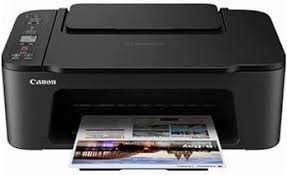
Canon Pixma TS3440 Printer
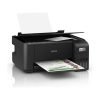
Canon PIXMA TS3440 is a versatile all-in-one printer designed for both home and small office use. With its compact design, it fits seamlessly into any workspace while delivering exceptional performance.
This Canon printer allows you to print, copy, and scan with ease, offering high-quality results for both documents and photos. Its wireless connectivity options make it easy to print from your smartphone or tablet, making it an ideal choice for modern users.
Specifications
- Functions: Print, Copy, Scan, Wi-Fi, Cloud
- Print Cartridges: 2 FINE cartridges (1 black, 1 color: cyan, magenta, yellow)
- Print Speed (Black): Approximately 7.7 ppm
- Print Speed (Color): Approximately 4 ppm
- Black Print Quality: Up to 4800 × 1200 dpi
- Color Print Quality: Up to 4800 × 1200 dpi
- Screen: Mono segment LCD 3.8 cm
- Connectivity:
- Hi-Speed USB (Port B)
- Wi-Fi: IEEE802.11 b/g/n
- Wi-Fi Security: WPA-PSK, WPA2-PSK, WEP, Admin Password
- Wireless LAN Frequency Band: 2.4GHz
- Impression Recto/Verso: Manual
- Supported Media Formats:
- Plain paper: A4, A5, B5, Letter, Legal
- Photo paper: 13 × 18 cm, 10 × 15 cm, 13 × 13 cm
Features
- High-Quality Printing: Achieve stunning prints with resolutions up to 4800 × 1200 dpi for both black and color documents.
- Compact Design: The sleek and compact structure fits perfectly in any workspace.
- User-Friendly Interface: A mono segment LCD screen makes it easy to navigate settings and functions.
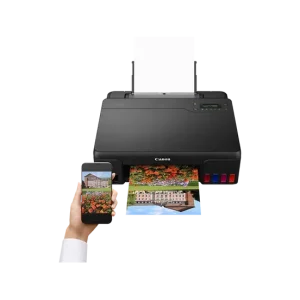
- Wireless Connectivity: Easily print from your smartphone, tablet, or computer via Wi-Fi.
- Versatile Media Handling: Supports various paper sizes and types, including photo paper, making it great for different printing needs.
Common FAQs
- Can a Canon TS3440 scan?
Yes, the Canon PIXMA TS3440 has scanning capabilities, allowing you to digitize documents and photos easily.
- What does PIXMA mean in Canon printers?
PIXMA is a brand name used by Canon for its inkjet printers, emphasizing quality and advanced technology for printing photos and documents.
- How do I connect my Canon PIXMA TS3440 printer to Wi-Fi?
To connect your printer to Wi-Fi, use the printer’s control panel to access the Wi-Fi settings. Select your network and enter the password. You can also use the WPS feature for a quick setup.
- Can Canon PIXMA print photos?
Yes, the Canon PIXMA TS3440 is capable of printing high-quality photos, making it suitable for both document and photo printing.
Discover the latest Canon printer prices in Nairobi, Kenya, at TDK Solutions, featuring options like the Canon PIXMA, Canon imageCLASS, Canon PIXMA Pro, and Canon MAXIFY.
Whether you need a printer for documents, photos, or labels, we have you covered. Consider factors such as print type, speed, connectivity, and cost to choose the right printer for your home or office. Enhance your printing experience with our competitive prices and expert guidance.

 Canon i-SENSYS LBP6030B Mono Laser Single Function Printer - 18ppm, USB Interface
KSh 26,680.00 (incl. tax)
Canon i-SENSYS LBP6030B Mono Laser Single Function Printer - 18ppm, USB Interface
KSh 26,680.00 (incl. tax) Canon MF3010 Digital Multifunction Laser Printer
KSh 35,380.00 (incl. tax)
Canon MF3010 Digital Multifunction Laser Printer
KSh 35,380.00 (incl. tax) Canon I-SENSYS MF651Cw A4 Colour Multifunction Laser Printer
KSh 57,768.00 (incl. tax)
Canon I-SENSYS MF651Cw A4 Colour Multifunction Laser Printer
KSh 57,768.00 (incl. tax)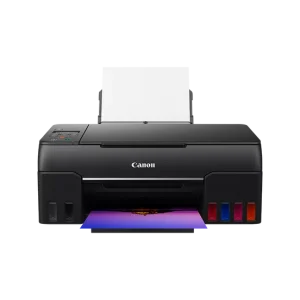 Canon PIXMA G640 photo printer
KSh 48,604.00 (incl. tax)
Canon PIXMA G640 photo printer
KSh 48,604.00 (incl. tax)